Mastering the Floppy Brush for Natural Digital Textures
Digital art often suffers from a sterile, overly polished look. We spend hours perfecting lines and smoothing gradients, only to realize our work lacks the organic imperfections that make traditional media so compelling. This is where the Floppy Brush changes the game. Unlike rigid, uniform stamps that repeat patterns with mechanical precision, a floppy brush mimics the unpredictable behavior of worn-out bristles, dried paint, or uneven pressure. It introduces chaos into your workflow, but controlled chaos—the kind that breathes life into flat illustrations.
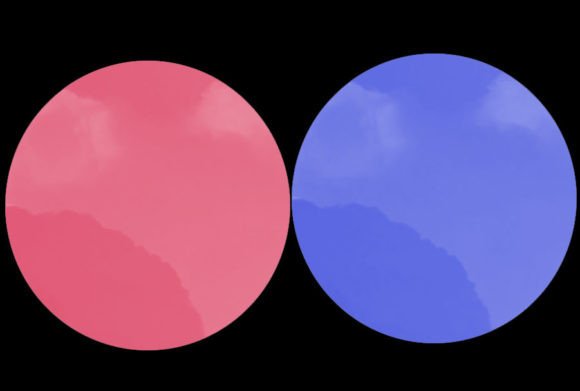
When you download a package labeled as a Floppy Brush, you aren’t just getting a tool; you are acquiring a texture engine. The typical delivery method is a ZIP file containing either .brushes or .swatches, depending on your software of choice. Inside, you will usually find a single, highly specialized brush designed to replicate that specific loose, flowing effect. Understanding how to leverage this single asset can transform your approach to shading, background creation, and character detailing.
Why One Brush Can Replace Dozens
In an era where artists hoard thousands of digital assets, it might seem counterintuitive to focus on a set containing just one brush. However, the value of a Floppy Brush lies in its versatility rather than its quantity. A well-engineered floppy brush responds dynamically to pen pressure, tilt, and speed. This means that a light tap creates a faint, scattered mark, while a heavy, slow stroke produces a dense, textured line with irregular edges.
This dynamic range allows you to use the same tool for multiple stages of your artwork. You can start with broad, loose shapes to block in colors, then switch to finer, quicker strokes for detailing hair or fabric folds. The "floppiness" refers to the way the digital bristles splay out, creating gaps and variations in opacity that mimic real-world physics. This eliminates the need for constant layer masking or manual texture overlaying, streamlining your process significantly.
Real-World Applications Across Industries
The utility of a Floppy Brush extends far beyond casual sketching. Different creative professionals find unique ways to integrate this tool into their pipelines, solving specific visual problems that rigid brushes cannot address.
Concept Art and Environment Design
For concept artists, speed and atmosphere are paramount. When designing lush forests, rocky cliffs, or weathered urban landscapes, uniformity is the enemy. A Floppy Brush excels at painting foliage because leaves do not grow in perfect grids. By using quick, flicking motions, you can generate clusters of leaves that feel random yet cohesive. Similarly, when painting stone or concrete, the irregular edge of the brush helps break up hard lines, suggesting erosion and age without requiring detailed texturing work.
Character Illustration and Hair Rendering
Hair is notoriously difficult to paint digitally. Novices often fall into the trap of drawing individual strands, resulting in a spaghetti-like appearance. Professionals use tools like the Floppy Brush to paint hair in masses. The brush’s ability to taper and split naturally allows artists to define clumps of hair, flyaways, and volume with just a few strokes. It captures the flow and weight of hair, making it look soft and movable rather than static and plastic.
Editorial and Book Cover Illustration
In editorial work, the goal is often to evoke emotion quickly. A painterly style achieved with a Floppy Brush adds a sense of urgency and humanity to portraits. The visible brushstrokes remind the viewer of the human hand behind the image, creating a connection that hyper-realistic rendering sometimes lacks. For book covers, especially in genres like fantasy or historical fiction, this brush helps create atmospheric backgrounds—mist, smoke, or magical auras—that blend seamlessly with the foreground subjects.
Technical Considerations Before You Start
While the Floppy Brush is powerful, it requires a shift in mindset. If you are used to vector-like precision, this tool might feel uncontrollable at first. Here are some practical considerations to ensure you get the most out of your download.
- Software Compatibility: Ensure you know which format you need. The ZIP file typically contains
.brushesfor Photoshop or.swatchesfor Procreate and other tablet apps. Check your software’s import instructions before purchasing or downloading. - Pen Pressure Sensitivity: This brush relies heavily on your tablet’s pressure sensitivity. If your drivers are outdated or your stylus tip is worn, you may not achieve the full range of variation. Calibrate your pen settings to ensure light touches register correctly.
- Canvas Resolution: Texture brushes behave differently at various resolutions. On a small canvas, the details might blur together; on a massive 4K canvas, they might look too sparse. Test the brush at your intended working size to adjust your stroke speed accordingly.
Navigating the Learning Curve
Using a Floppy Brush effectively is less about clicking and dragging and more about gesture. Because the brush simulates loose bristles, long, slow drags can result in muddy, overworked areas. Instead, adopt a technique of building up layers with short, confident strokes. Think of it like playing a percussion instrument; rhythm and timing matter.
One common mistake is overusing the brush. While it is tempting to apply the texture everywhere, doing so can make an image look noisy and unfocused. Use the Floppy Brush strategically in areas where you want to draw the eye or suggest material quality, such as the edges of a cloak, the fur of an animal, or the petals of a flower. Keep structural elements, like faces or mechanical parts, cleaner to create contrast.
Strengths and Limitations
No tool is perfect, and understanding the limitations of the Floppy Brush helps you decide when to switch to a standard hard round or soft airbrush.
Strengths:
- Organic Feel: Instantly adds realism and warmth to digital pieces.
- Speed: Reduces the time spent on manual texturing and blending.
- Versatility: Works for both broad shapes and fine details depending on pressure.
Limitations:
- Precision Control: Not ideal for hard-edged technical drawings or typography.
- Learning Curve: Requires practice to master stroke direction and pressure control.
- File Size: High-resolution texture brushes can sometimes slow down older computers if used on very large layers.
Making the Most of Your Download
When you unzip your file and install that single Floppy Brush, treat it as a starting point for experimentation. Spend ten minutes just playing with it on a blank canvas. Try varying your angle, speed, and pressure. Notice how the bristles splay when you twist your stylus. These small observations will help you internalize the tool’s behavior.
Remember, the goal of digital art tools is not to do the work for you, but to remove barriers between your vision and the screen. The Floppy Brush removes the barrier of sterility. It allows you to embrace imperfection, turning what might have been a flaw in a rigid system into a feature of your artistic style. Whether you are a seasoned illustrator looking to refresh your toolkit or a beginner seeking a more natural painting experience, this simple addition can have a profound impact on the quality and feel of your work.
By focusing on how the brush interacts with your hand and your intent, you move beyond simply applying color to actually sculpting light and texture. That is the true power of a well-designed digital brush: it becomes an extension of your creativity, not just a cursor on a screen.