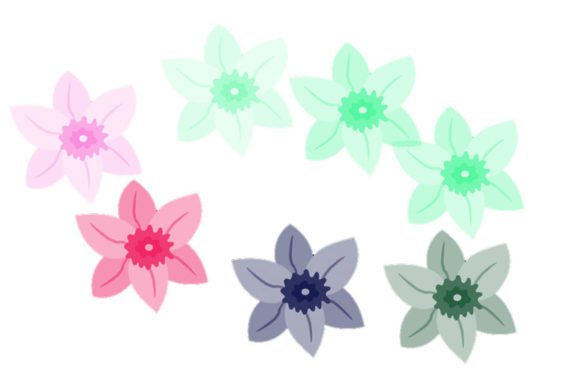
Little Star: A Minimalist Digital Brush for Subtle Creative Accents
In the vast ecosystem of digital design resources, it is easy to get overwhelmed by complex toolkits promising to revolutionize your workflow. Yet, sometimes the most effective tools are the simplest. Little Star is a prime example of this philosophy. It is not a sprawling library of thousands assets, nor is it a complicated software suite. It is a single, focused digital brush designed to add a specific kind of charm and emphasis to your creative projects. For creators who value precision and subtlety over volume, this resource offers a streamlined solution to a common design problem: how to add a touch of whimsy or highlight key information without cluttering the canvas.
The package itself is refreshingly straightforward. When you download the ZIP file, you will find exactly what you need: one brush file, available in either .brushes or .swatches format depending on your preferred software compatibility. This simplicity is not a limitation; it is a feature. It removes the decision fatigue associated with sorting through hundreds of unused assets and allows you to focus immediately on integration and application.
Why Single-Asset Resources Matter in Modern Design
Many designers and content creators suffer from "asset hoarding," where hard drives are filled with gigabytes of brushes, textures, and fonts that are rarely used. Little Star counters this trend by offering a high-utility, low-footprint alternative. The value here lies in specificity. This brush is crafted to produce a consistent, recognizable star shape that can be scaled, rotated, and colored to fit various contexts. Because it is a single, well-made asset, it ensures visual consistency across a project. You do not have to worry about mismatched styles or varying levels of detail that often plague larger, generic brush packs.
For professionals, this consistency is crucial. Brand identity relies on repetition and uniformity. Using a custom, distinct element like a small star can become part of a brand’s visual language. Whether it is used as a bullet point in a presentation, a decorative element in social media graphics, or a subtle watermark on photography, the singular nature of the tool ensures that every instance looks like it belongs to the same family.
Practical Use Cases Across Different Industries
The versatility of Little Star becomes apparent when you look at how different professionals might integrate it into their daily workflows. It is not limited to traditional graphic design; its applications extend into marketing, education, and personal productivity.
Social Media and Content Marketing
For bloggers and social media managers, standing out in a crowded feed requires eye-catching visuals. Text-heavy images often fail to engage users quickly. Adding small, graphical accents can break up text and guide the viewer’s eye. Little Star can be used to highlight key takeaways in Instagram carousels or Pinterest pins. For instance, placing a small star next to a discount code or a "New Arrival" tag draws immediate attention without being as aggressive as a large, flashing banner. It adds a layer of polish that suggests care and attention to detail, which can increase perceived value.
Educational Materials and E-Learning
Educators and instructional designers constantly seek ways to make learning materials more engaging. In digital worksheets, quizzes, or presentation slides, visual cues help students process information. A star is universally recognized as a symbol of achievement, importance, or favoriting. Teachers can use this brush to mark correct answers, highlight vocabulary words, or create reward charts in digital formats. Because the brush is simple and clean, it does not distract from the educational content but rather supports it. It works particularly well in early childhood education materials where friendly, approachable graphics are essential.
Small Business Branding and Packaging
Entrepreneurs and small business owners often handle their own design work to keep costs down. For handmade goods, bakery items, or boutique clothing, packaging design is a critical touchpoint. Little Star can be incorporated into thank-you cards, stickers, or even stamped onto packaging materials. Its simplicity means it scales well; it looks just as good printed small on a business card as it does larger on a tote bag. For businesses aiming for a minimalist or handcrafted aesthetic, this brush provides a way to add a signature element that feels personal rather than corporate.
Digital Planning and Journaling
The rise of digital planning on tablets has created a niche market for customizable journaling tools. Users of apps like GoodNotes or Procreate often look for stamps and brushes to decorate their daily logs. A star brush is a staple in this community, used to mark special occasions, prioritize tasks, or simply decorate headers. Little Star fits perfectly here because it is lightweight and easy to manipulate. Users can change the color to match their daily theme or mood, providing a quick way to personalize their digital space without needing advanced artistic skills.
Technical Considerations and Best Practices
Before downloading and using Little Star, it is important to understand the technical context to ensure it integrates smoothly into your workflow. The inclusion of both .brushes and .swatches formats indicates compatibility with major industry-standard software. Typically, .brushes files are associated with Adobe Photoshop, while .swatches may refer to color presets or specific brush tip shapes in other programs. Always check the documentation included in the ZIP file to confirm which software versions are supported.
Key factors to consider include:
- Resolution and Scalability: Since this is a digital brush, its quality depends on the resolution settings of your canvas. For print projects, ensure your document is set to 300 DPI to prevent pixelation when the star is scaled up. For web-only use, 72 DPI is sufficient, but vector-based alternatives might be better if infinite scalability is required.
- Color Customization: The true power of a single-shape brush lies in its adaptability through color. Experiment with opacity and blending modes. A star set to "Multiply" can look like a watermark, while one set to "Screen" can appear like a light flare. Understanding these settings allows you to get more mileage out of a single asset.
- Contextual Fit: While versatile, a star shape carries specific connotations—celebration, rating, magic, or importance. Ensure that this symbolism aligns with your message. Using it in a serious, somber context might send mixed signals. However, in most commercial and creative contexts, it is neutral enough to be functional.
Maximizing Value from Minimal Resources
Adopting a mindset of "less is more" can significantly improve creative output. By limiting yourself to a single, high-quality tool like Little Star, you are forced to think more creatively about how to use it. Instead of relying on a library of pre-made decorations, you learn to manipulate size, rotation, color, and placement to create unique compositions. This skill is transferable; mastering the nuanced use of one element makes you better at managing complex design systems.
Furthermore, the ease of installation and use means less time troubleshooting and more time creating. For freelancers working under tight deadlines, this efficiency is invaluable. You do not need to spend hours searching for the right clip art; you have a reliable tool ready to go. This reliability builds confidence, allowing you to maintain a consistent posting schedule or deliver client work faster.
In conclusion, Little Star represents a shift towards intentional, minimalist design resources. It serves a specific purpose with elegance and efficiency. Whether you are a marketer looking to highlight a sale, a teacher creating engaging worksheets, or a hobbyist decorating a digital journal, this brush offers a practical, professional solution. By focusing on quality over quantity, it empowers users to add meaningful accents to their work without the baggage of unnecessary complexity. Download the ZIP, install the brush, and start experimenting with how a small detail can make a big impact.